
Hey folks!
So, it’s been a while since the last post – I’ve been knee-deep in trying to keep up with the relentless pace of development in this AI world we live in (I suspect I’m not the only one).
With that in mind, I’m taking the site in a slightly different direction that reflects not only my own personal shift in focus but more a reflection of the way of the world we’re in. It’s still Databricks-focussed, but with an overall lens on AI: what’s in the platform, how to use it, and the best practices that go with it, all tied into the broader Databricks ecosystem. You may have also noticed a bit of a facelift around here.
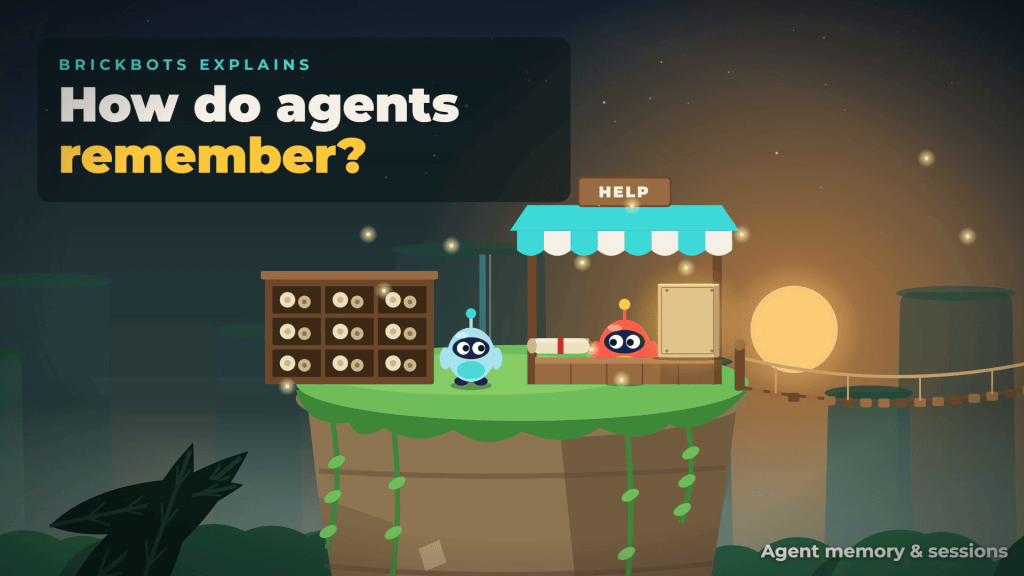
Alongside that, I’ve launched a new channel: BrickBots! It’s a companion YouTube channel with short animated explainers on a lot of the topics I’ll be covering here, so if you’d rather have things explained by bots, take a look.
Right, with that out of the way, on to the first post of this new era. This one was suggested by a colleague of mine:
CHALLENGE – “your agent is halfway through helping someone, then the app restarts. What does it remember?”
If the conversation only lived in the model’s context, the answer is “nothing”. It greets them like a stranger, and they get to explain their problem all over again (always a crowd-pleaser). To avoid that, an agent needs somewhere to keep its state. Databricks now manages that for you with two new (Beta) features: managed agent sessions and managed agent memory.
There’s an animated version of this one on BrickBots (embedded below), but this post is the hands-on version: we’ll create both stores, write a conversation, rebuild it after a “restart”, save and search a memory, and then hand memory to the agent as tools.
Two Kinds of State
Right, so before I go any further, it would be remiss of me not to point you at the official documentation — the stateful agents overview is the place to start. The short version is that an agent needs two kinds of state:
- Sessions — the conversation it’s having right now. Usually that’s the transcript: the ordered messages, tool calls, results and even reasoning. The agent reads it back at the start of each turn and appends to it as it works.
- Memory — the durable stuff: facts, preferences and decisions about someone that should still be there in a later, completely separate conversation.
Think of it as ink for now, stone for later. Both are fully managed stores backed by Lakebase (so no database for you to run), and both work with agents built on any framework.
The Scenario
We’ll keep it simple: a support agent helping customer user-123 with case case-456. During the chat they mention they’d rather be contacted by email than phone. We want the agent to remember the conversation across a restart, and to remember the email preference next month, in a brand-new chat.
Prerequisites
- A Databricks workspace with the agent memory and sessions Beta available
- Python 3.10 or above (a notebook is fine)
- The AgentKit SDK, which you install as
databricks-agentbricks(yes, the package and the import have different names: you importdatabricks_agentkit)
The Fun Stuff
1 – Install the SDK and Create the Stores
%pip install databricks-agentbricks
Then create a client and one store of each kind. Stores are workspace-scoped, and their names need to be 3–56 characters of lowercase letters, numbers and hyphens (starting with a letter):
from databricks.sdk import WorkspaceClientfrom databricks_agentkit import AgentKitClientclient = AgentKitClient(WorkspaceClient())session_store = client.session_stores.create("support-agent-sessions")memory_store = client.memory_stores.create("support-agent-memory")
2 – Write the Conversation to a Session
A session belongs to an actor (actor_id, required — who the conversation is with) and can have your own session_id. Each turn, append the new items:
session = session_store.add(actor_id="user-123", session_id="case-456")session.append_items([ {"type": "message", "role": "user", "content": "I need help with my cluster."}, {"type": "message", "role": "assistant", "content": "Let's take a look."},])
Items are opaque JSON, so you can store whatever your framework produces (tool calls and results included). One thing to note: once an item is appended, it’s immutable. You can pop the last item or clear the session, but you can’t edit history in place.
3 – Survive the Restart
On the next request (or after the app has restarted), get the session back and rebuild the history in order:
session = session_store.get("case-456")history = [item.data for item in session.list_items(order_by="create_time asc")]
And that’s your context, straight back into the model. Sessions can also be listed, resumed and forked (handy when you want to explore a different path from a point in the conversation without losing the original).
4 – Save Something Worth Keeping
Now the email preference. That’s not about this one conversation, it’s about the customer, so it goes into memory. Each entry has an actor, a path (think of it as a filing location) and the content:
memory_store.add( actor_id="user-123", path="/preferences/communication.md", content="Prefers email over phone. Timezone: PST.", description="User 123 communication preferences",)
5 – Recall It in a Later Conversation
A month later, new chat, new session. The agent searches memory with a plain-language query:
results = memory_store.search( actor_id="user-123", query="communication preferences", limit=10,)
The best matches come back first, and our agent already knows to send an email. (Huzzah!)
Bot note: The overview page describes memory retrieval as semantic search, but the memory page itself says search uses a full-text (BM25) relevance score. So phrase your queries with the words you’d expect in the memory itself rather than relying on meaning-based matching.
6 – Let the Agent Decide What to Remember
In practice you don’t want to hard-code every add and search. The pattern the docs recommend is to wrap them as tools and let the agent decide when to save and recall. Here’s a minimal sketch: two plain Python functions you’d register as tools in whichever agent framework you use:
CURRENT_USER = "user-123" # set from your app's authenticated context, never by the modeldef remember(path: str, content: str, description: str): """Save a durable fact, preference or decision about the current user.""" memory_store.add(actor_id=CURRENT_USER, path=path, content=content, description=description)def recall(query: str): """Search what we already know about the current user.""" return memory_store.search(actor_id=CURRENT_USER, query=query, limit=5)
Note CURRENT_USER there. That’s not just tidiness, it’s the most important line in the post…
The Gotcha: actor_id Is a Name Tag, Not a Lock
Here’s the thing — actor_id keeps memories apart, but it isn’t access control. Any principal that can reach a store can read and write every entry in it, across all actors. The store is the security boundary.
So two rules:
- Set
actor_idfrom your application’s trusted context (the signed-in user), never from something the model decides. Otherwise a cleverly worded prompt could go rummaging through someone else’s memories. - If users must be strictly isolated, use separate stores, and grant access per store.
Bot note: Deleting a session (or a whole session store) does not delete the memories distilled from it. Handy for keeping what matters, but worth remembering if you have retention rules to follow.
How They Fit Together
The nice bit is how the two work together. When something in a conversation is worth keeping, the agent distils it and writes it to memory. Later the session is cleared, or ages out. The memory stays. Sessions give the agent continuity within a conversation; memory gives it continuity across them.
Conclusion
That’s pretty much it. Managed sessions and memory take away the “where do I keep my agent’s state” question without you running a database, and because they’re framework-agnostic you can bolt them onto whatever you’ve already built.
A couple of honest caveats: both features are in Beta, so expect some movement in the API; search is full-text rather than semantic (at the time of writing); and the security model needs thought up front, as above. The code in this post follows the documentation examples but I haven’t executed it end to end, so treat it as a starting point.
As always, let me know your thoughts — and if you’ve got ideas for what you’d let an agent remember (or definitely wouldn’t!), I’d love to hear them.


Leave a Reply