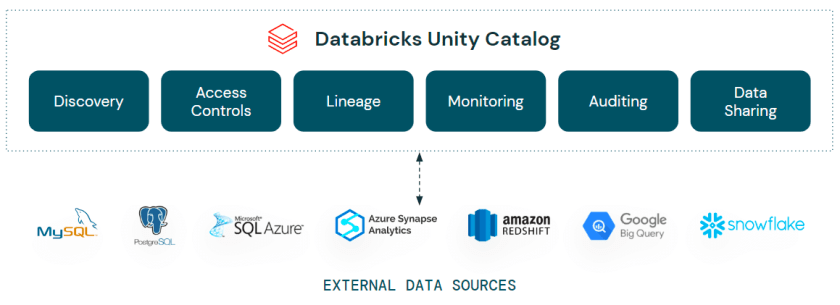
I’ve always been a fan of data virtualisation. I know it’s not the silver bullet for every kind of data integration scenarios (I still love my ETL/ELT), but for those situations where you need to connect and present multiple data sources as a single query endpoint, there’s a plethora of use cases where data virtualization can add real value, such as:
- Data Warehousing – The main one, building a virtual or logical warehouse without having to build a whole ETL process and dimensional model
- Agility – Bring in other data sources without having to build ingestion pipelines
- Sovereignty – Query data sources where the data remains in situ as you can’t move it elsewhere for governance reasons
- Prototyping – Analyse and access data for profiling, analysis and QA
In simple terms, data virtualisation can be well summarised as follows:
Data virtualisation is a technology that allows organizations to access and manipulate data from various sources as if it were all stored in a single, unified database, without the need to physically move or replicate the data. It provides a layer of abstraction that abstracts the complexity of accessing and integrating data from disparate sources, such as databases, data warehouses, cloud storage, and web services.
ChatGPT
Now, data virtualisation has been around for a while, with various services and technologies offering such capabilities. So what is it that I’m talking about now that makes it revisiting?
Enter Lakehouse Federation
Lakehouse Federation was announced at the Data & AI Summit this year (2023) with the top level tag line of “Discover, query, govern all your data – no matter where it lives”.
That tagline aside, what is it?
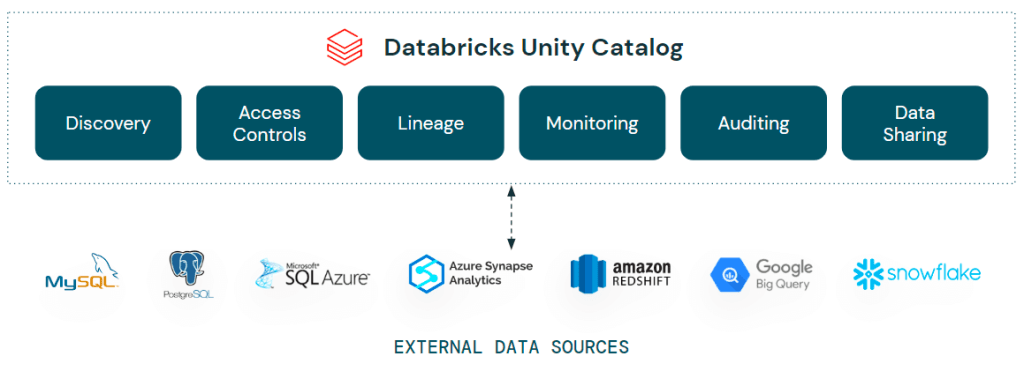
In short, Lakehouse Federation is bringing capabilities into Unity Catalog that allow you to integrate external data sources from such sources as Azure Synapse Analytics, Amazon RedShift, Snowflake and even Databricks itself – into Unity Catalog. These objects appear as a foreign catalog, including the associated schemas, tables etc. within your Unity Catalog as if they were native Databricks database themselves. You can query, join and analyze these objects directly from Databricks, bringing agility, interoperability and flexibility into your Lakehouse estate.
Awesome beans, right? Not only that, but as Lakehouse Federation is part of Unity Catalog, all the permissions management is managed within Unity itself, you don’t need to go and manually start adding your users to the underlying data sources. Simply define the credential once, then grant permissions in Unity as you would a normal table.
So, that’s the elevator pitch. See below for a short demo/tutorial in setting up and using Lakehouse Federation:
Tutorial
Before you start, check out the prereqs here
Setting Up Lakehouse Federation
In terms of setting up federation, there’s essentially a 2 step process –
- Set up a connection
- Set up a foreign catalog
- Query away! (technically 3 steps, but this is the fun bit)
Setting Up A Connection
In this example, I’m using my old favourite – Azure SQL Database. I’m using a single database with the sample AdventureWorksLT database already installed and instead to query:

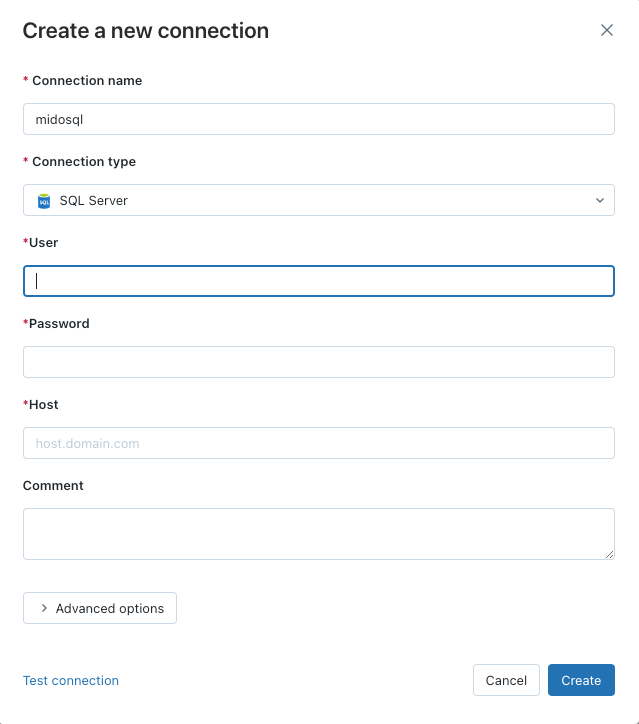
I want to add this database as a catalog in Databricks so I can query it alongside my other data sources. To connect to the database, I need the username, password and hostname, obtained from my Azure instance.
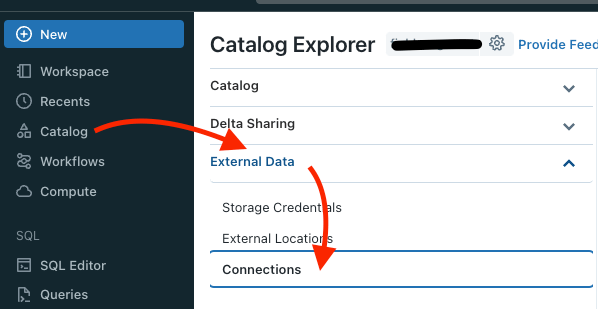
Once obtained, within Databricks I expand my Catalog view, go to Connections and click “Create Connection”:
To add your new connection, give it a name, choose your connection type and then add the relevant login details for that data source:
Create a Foreign Catalog
Test your connection and verify all is well. From there, go back to the Catalog view and go to Create Catalog:

From there, populate the relevant details (choosing Type as “Foreign”), including choosing the connection you created in the first step, and specifying the database you want to add as an external catalog:
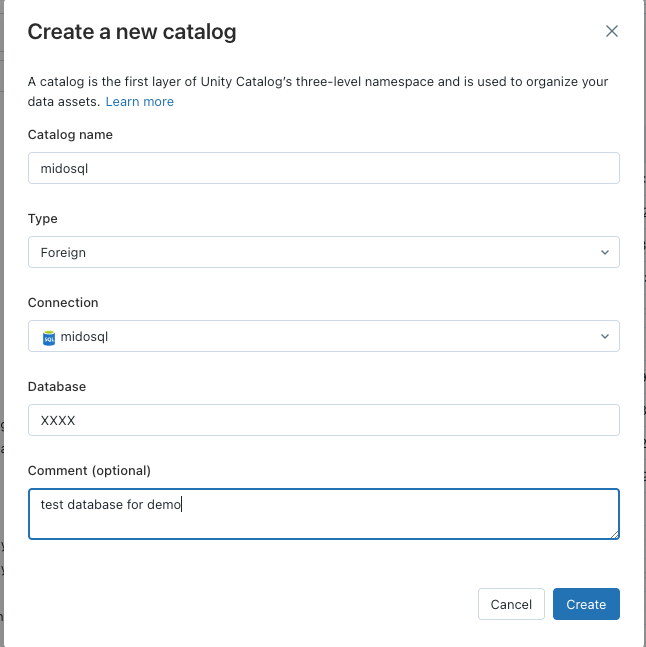
Once added, you can have the option of adding the relevant user permissions to the objects here, all governed by Unity Catalog (I skipped this in this article as it’s just me using this database):

Our external catalog is now available for querying as you would any other table inside Databricks, bringing my broader data estate into our lakehouse:
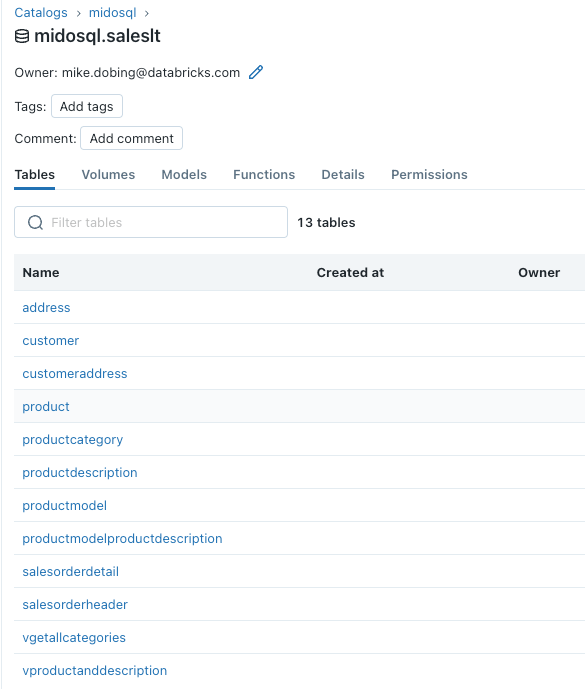
Querying My Federated Data
And I can access my federated Azure SQL Database as normal, straight from my Databricks SQL Warehouse:
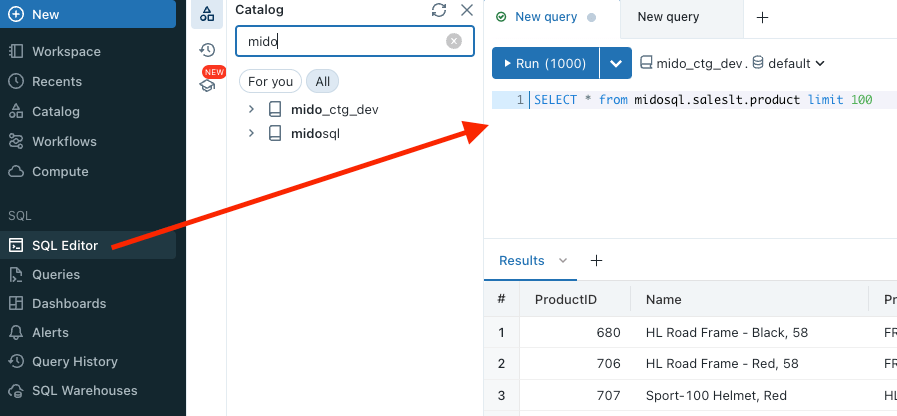
And query it as I would any other object:
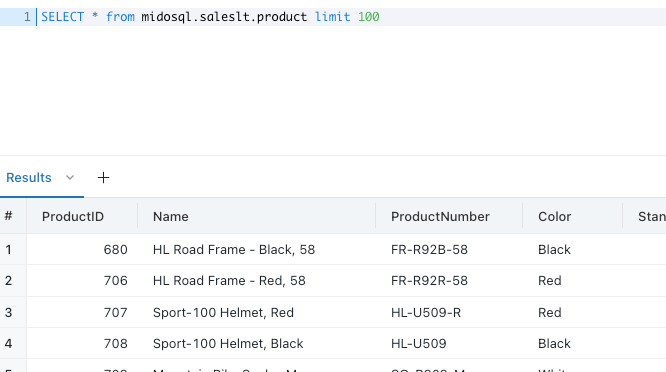
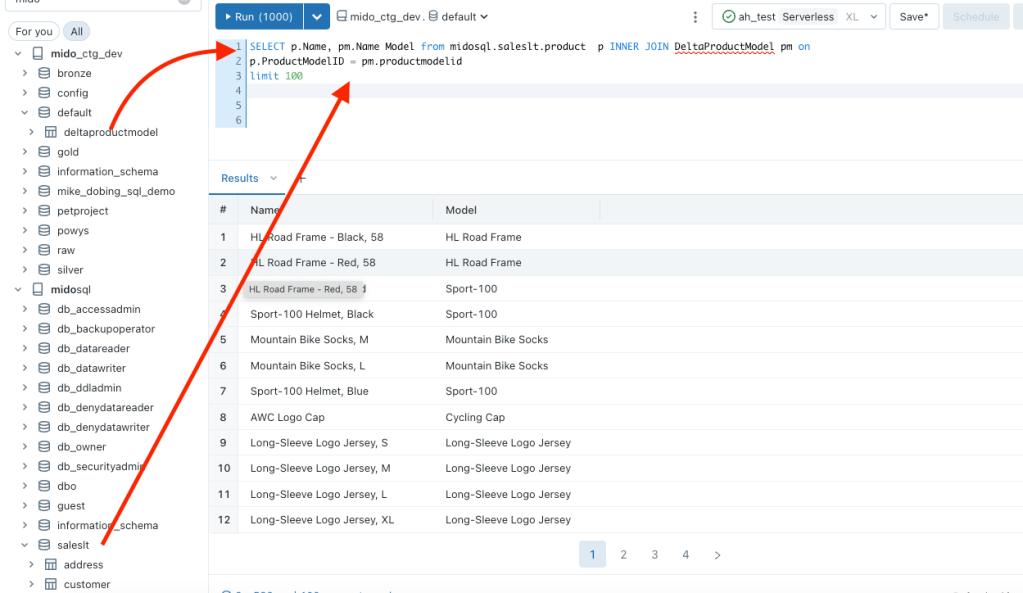
Or even join it to a local delta table inside my Unity Catalog:
Conclusion
What I’ve shown here is just scratching the surface of what Lakehouse Federation can do with a simple connection and query. By leveraging this offering, combined with the governance and capabilities of Unity Catalog, you can extend the range of your lakehouse estate, ensuring consistent permissions and controls across all of your data sources and thus enabling a plethora of new use cases and opportunities.
 SQL Of The North